Redirect to an existing web URL
Enter your content and your static QR code will update instantly.
GMS QR Studio is a free QR code generator for WordPress that lets you create and customize static QR codes directly from your website. No account, subscription, or external QR code service is required to create a QR code.
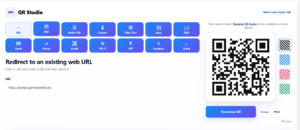
Create QR codes for URLs, text, contact information, email addresses, phone numbers, SMS messages, Wi-Fi networks, social media profiles, UPI payments, locations, events and other everyday use cases.
With GMS QR Studio v2.0.3, you can generate QR codes instantly and customize their appearance before downloading them.
GMS QR Studio currently focuses on static QR codes. The information encoded in a static QR code is stored directly inside the QR code itself, which means you do not need a third-party redirection service to use it.
You can enter your information, generate the QR code, customize its appearance and download it for use on websites, printed materials, business cards, posters, brochures, menus, packaging and more.
GMS QR Studio supports multiple QR code formats and use cases, including:
A QR code does not have to look plain. GMS QR Studio provides several customization options so you can create QR codes that better match your website, brand or printed material.

You can customize:
These options make it possible to create professional-looking QR codes for both digital and print applications.
GMS QR Studio allows you to add a logo to your QR code. You can control the logo size, padding, background and shape to create a QR code that is more closely aligned with your brand identity.

Logo-based QR codes can be useful for:
When using a logo, it is important to maintain sufficient QR code readability and use an appropriate error correction level.
GMS QR Studio provides four standard QR error correction levels:
L, M, Q and H.
Higher error correction can help a QR code remain readable when part of the code is obscured or damaged. This can be particularly useful when adding a logo or using QR codes on printed materials.
After creating your QR code, you can download it for use on your website, documents, marketing materials or printed products.
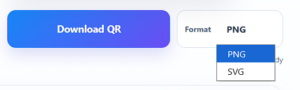
Choose the available download format, generate your QR code and use it wherever you need a scannable code.
GMS QR Studio can be useful for a wide range of users, including:
For example, a restaurant can use a QR code to share a menu, a business can share its website or contact information, an event organizer can share event details, and an educator can provide quick access to online learning resources.